
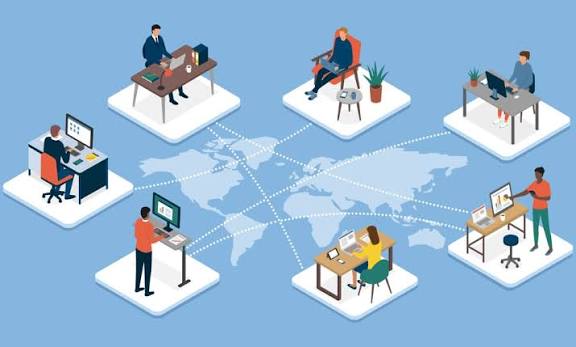
Hiring overseas remote workers has become increasingly popular among small businesses. Whether you’re adding a customer support representative in the Philippines, a bookkeeper in South America, or a developer in Eastern Europe, global talent can help your business grow while controlling costs.
But there’s one challenge many small business owners overlook: security.
When employees work from different countries using their own computers and internet connections, your company’s sensitive information can be exposed to cyber threats, data breaches, and compliance risks. Fortunately, there’s a simple solution that allows overseas employees to work securely without requiring expensive IT infrastructure: virtual desktops.
The Security Problem with Traditional Remote Work
Most small businesses allow remote workers to access company systems directly from their personal laptops. While convenient, this creates several risks:
- Customer information stored on personal computers
- Lost or stolen devices containing company data
- Weak passwords and unsecured home networks
- Employees downloading sensitive files
- Difficulty removing access when a worker leaves
For small businesses, a single data breach can result in financial losses, reputational damage, and lost customer trust.
What Is a Virtual Desktop?
A virtual desktop is a complete work computer that runs in the cloud rather than on an employee’s local device.
Instead of installing company software and storing business files on a worker’s personal laptop, employees log into a secure virtual workspace through the internet. They can use all the tools they need while company data remains safely stored in a protected environment.
Think of it as giving overseas workers access to a secure office computer without having to ship one around the world.
Your Business Data Stays Protected
The biggest advantage of virtual desktops is that your data stays inside your business environment.
When an employee logs in:
- Files remain in the cloud
- Applications run remotely
- Customer information is not stored on personal devices
- Access can be controlled centrally
Even if an employee’s laptop is lost, stolen, or infected with malware, your company data remains protected.
Easier Employee Onboarding
Hiring overseas workers often means dealing with technology setup challenges.
With a virtual desktop, onboarding becomes much simpler:
- Create a user account
- Assign permissions
- Send login credentials
- Employee starts working immediately
There’s no need to ship equipment internationally or spend hours configuring a new computer.
Instant Access Removal
One concern many small business owners have is what happens when an overseas contractor or employee leaves.
With traditional remote work, you may worry about:
- Company files saved locally
- Shared passwords
- Continued access to business systems
With virtual desktops, access can be disabled instantly. The employee loses access to the workspace, and your data remains secure.
Reduce IT Costs and Complexity
Many small businesses don’t have dedicated IT staff.
Virtual desktops simplify technology management by allowing updates, security settings, and software installations to be managed from a central location.
Benefits include:
- Fewer support issues
- Consistent software environments
- Easier troubleshooting
- Reduced cybersecurity risk
- Less time spent managing employee devices
This allows business owners to focus on growth instead of technology problems.
Better Protection Against Cyberattacks
Cybercriminals increasingly target small businesses because they often have fewer security resources than larger organizations.
Virtual desktops can improve security through:
- Multi-factor authentication (MFA)
- Automatic software updates
- Centralized security controls
- Encrypted connections
- Activity monitoring
These protections help reduce the risk of ransomware, phishing attacks, and unauthorized access.
Support Growth Without Sacrificing Security
As your business grows, adding new remote workers should not increase your security risk.
Virtual desktops make it easy to:
- Add employees quickly
- Scale internationally
- Standardize security policies
- Protect customer information
- Maintain control over company assets
Whether you have one overseas employee or twenty, the security model remains consistent.
Is a Virtual Desktop Right for Your Business?
Virtual desktops are particularly valuable for businesses that handle:
- Customer records
- Financial information
- Intellectual property
- Healthcare data
- Legal documents
- Proprietary business information
They’re also ideal for businesses working with overseas contractors, freelancers, virtual assistants, customer support teams, and remote administrative staff.
Final Thoughts
Hiring overseas remote workers can help small businesses compete more effectively in today’s global marketplace. However, securing company information should be a top priority.
Virtual desktops provide a practical, affordable way to protect sensitive data, simplify employee management, and reduce cybersecurity risks. Instead of worrying about where employees are working or what device they’re using, business owners can focus on growing their business with confidence.
For small businesses looking to build a secure global workforce, virtual desktops offer one of the simplest and most effective solutions available today.