Cybercriminals don’t just target large corporations. In fact, small businesses are often seen as easier targets because they typically have fewer security resources and less formal cybersecurity training.
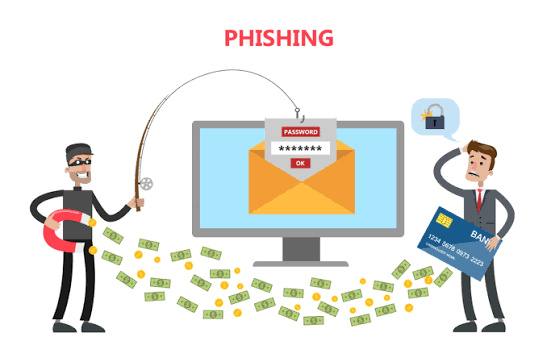
One of the most common attack methods is phishing—a fraudulent email designed to trick employees into revealing passwords, sending money, downloading malware, or sharing sensitive information.
The good news? Most phishing emails leave clues. Knowing what to look for can help protect your business from a costly mistake.
What Is a Phishing Email?
A phishing email is a message that pretends to be from a legitimate company, coworker, vendor, bank, or service provider. The goal is to create urgency or trust so the recipient takes action without thinking critically.
Common phishing requests include:
- Resetting a password
- Verifying account information
- Opening an attachment
- Clicking a link
- Sending a wire transfer
- Purchasing gift cards
- Updating payment information
7 Warning Signs of a Phishing Email
1. The Sender’s Email Address Doesn’t Match
Attackers often use addresses that look similar to legitimate companies.
For example:
At first glance these may appear legitimate, but small spelling changes are often a major red flag.
Always inspect the full sender address—not just the display name.
2. The Email Creates Urgency
Phishing emails are designed to make people act before they think.
Examples include:
- “Your account will be suspended today.”
- “Immediate action required.”
- “Payment overdue.”
- “Verify your information within 24 hours.”
When an email pressures you to act immediately, slow down and verify the request through another channel.
3. Unexpected Attachments
If you receive an attachment you weren’t expecting, be cautious.
Common malicious attachment types include:
- ZIP files
- Office documents with macros
- PDFs claiming to be invoices
- Executable files
Even if the email appears to come from someone you know, it’s worth confirming before opening unexpected files.
4. Suspicious Links
Before clicking any link, hover over it to see where it actually leads.
A phishing email may display:
But actually send you to:
secure-login-yourbank.verify-account.com
If the destination doesn’t match the organization, don’t click it.
5. Requests for Sensitive Information
Legitimate organizations rarely ask for passwords, MFA codes, or sensitive information through email.
Be especially cautious if someone requests:
- Passwords
- Social Security numbers
- Banking information
- Credit card details
- Multi-factor authentication codes
These requests should always be verified independently.
6. Poor Grammar or Unusual Language
While modern phishing attacks are becoming more sophisticated, many still contain:
- Misspellings
- Awkward wording
- Strange formatting
- Unusual greetings
If an email sounds unlike the person or company it claims to be from, trust your instincts.
7. Unusual Requests From Executives
One of the most successful scams targeting small businesses is Business Email Compromise (BEC).
An employee receives an email that appears to come from the owner, CEO, or manager requesting:
- An urgent wire transfer
- Gift card purchases
- Sensitive employee information
Always verify unusual financial requests by phone or another trusted communication method.
What To Do If You Suspect a Phishing Email
If something feels off:
- Do not click any links.
- Do not open attachments.
- Do not reply.
- Verify the request independently.
- Report the email to your IT provider or security team.
- Delete the message after reporting it.
If someone already clicked a link or entered credentials, report it immediately. Quick action can often prevent a small mistake from becoming a major security incident.
Creating a Security-First Culture
Technology helps block threats, but employees remain the first line of defense.
Small businesses can reduce risk by:
- Providing regular security awareness training
- Enabling multi-factor authentication
- Using advanced email filtering
- Encouraging employees to report suspicious messages
- Establishing clear verification procedures for financial requests
Final Thoughts
Phishing attacks continue to evolve, but they still rely on one thing: convincing someone to trust the wrong email.
A few extra seconds spent verifying a message can save your business thousands of dollars, protect sensitive data, and prevent significant downtime.
When in doubt, don’t click. Verify first.