
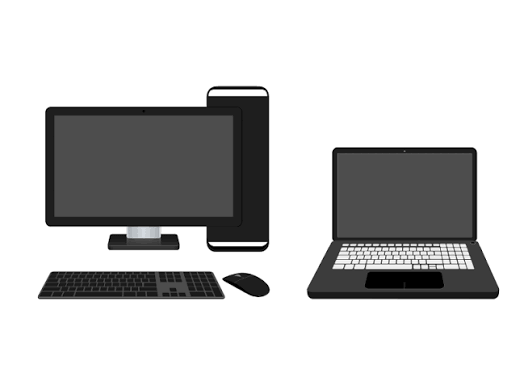
Technology is one of the most important investments a small business makes. Whether your team works from laptops, desktop computers, or a combination of both, understanding their lifespan can help you budget effectively, avoid costly downtime, and maintain productivity.
So, how long should you expect your business computers to last?
The Average Lifespan of Business Computers
While every device is different, most business computers follow these general guidelines:
Desktop computers: 4 to 6 years
Laptops: 3 to 5 years
The difference comes down to design. Laptops are compact, portable, and exposed to more wear and tear. Desktops typically have better cooling, more upgrade options, and spend their lives in a controlled office environment.
Signs It’s Time to Replace a Computer
Age alone doesn’t determine when a computer should be replaced. Watch for these common warning signs:
Slower Performance
If employees spend valuable time waiting for applications to load, files to open, or systems to start up, productivity suffers. Frequent slowdowns often indicate aging hardware.
Security Limitations
Older computers may not support the latest operating systems or security updates. Running unsupported software increases cybersecurity risks and may create compliance issues.
Frequent Repairs
Occasional maintenance is normal, but recurring hardware failures, battery replacements, or repair costs can quickly exceed the value of keeping an aging machine.
Compatibility Problems
Modern business software requires more processing power and memory than applications from several years ago. If new tools won’t run efficiently, it may be time for an upgrade.
Employee Frustration
Technology should help employees do their jobs, not create obstacles. Complaints about crashes, freezing, or poor performance often signal a replacement is needed.
How to Extend the Life of Your Business Computers
Small businesses can often gain an extra year or two from their systems by following a few best practices.
Keep Software Updated
Regular operating system and application updates improve security, stability, and performance.
Upgrade Memory and Storage
Adding RAM or replacing an older hard drive with a solid-state drive (SSD) can significantly improve performance, especially on desktops.
Clean Hardware Regularly
Dust buildup can cause overheating and shorten component life. Periodic cleaning helps maintain proper airflow and cooling.
Use Business-Grade Equipment
Business-class laptops and desktops are typically built with more durable components than consumer models and often provide better long-term value.
Train Employees on Proper Care
Simple habits such as avoiding food and drinks near devices, transporting laptops safely, and shutting down systems properly can reduce preventable damage.
Laptops vs. Desktops: Which Last Longer?
In general, desktops have the advantage when it comes to longevity.
Because desktops are easier to upgrade and repair, businesses can often replace individual components rather than the entire machine. Laptops, while more flexible for remote and hybrid work, have limited upgrade options and experience more physical wear.
However, the best choice depends on your team’s needs. A laptop that enables employees to work efficiently from anywhere may provide greater business value even if it has a shorter lifespan.
Planning a Technology Refresh Cycle
Many successful small businesses follow a proactive replacement schedule:
- Replace employee laptops every 4 years
- Replace desktop workstations every 5 to 7 years
- Evaluate high-performance systems annually
- Budget for technology refreshes as part of long-term financial planning
A planned replacement strategy is often less expensive than dealing with unexpected failures and emergency purchases.
Final Thoughts
For most small businesses, laptops typically last between three and five years, while desktops can remain productive for four to six years. The key is balancing performance, security, and maintenance costs against the investment in new equipment.
By monitoring computer health and planning upgrades before problems become critical, business owners can reduce downtime, improve employee productivity, and make smarter technology investments.